
What Is Robots.txt and How Does It Affect SEO?
What Is a Robots.txt File and How Does It Affect SEO?
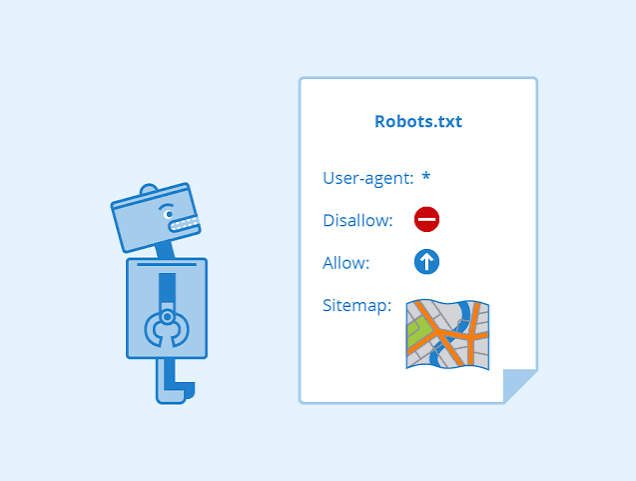
Most business owners never see their website's robots.txt file. It doesn't appear in the navigation, customers aren't expected to read it, and it won't make your homepage look any better. Yet this small text file can influence how search engines crawl portions of your website.
That makes robots.txt an important component of technical SEO.
A properly configured file can help guide search engine crawlers away from areas they don't need to access. An incorrectly configured file, however, can interfere with crawling important website content.
For businesses investing in search engine optimization, understanding what robots.txt can—and cannot—do helps prevent technical mistakes that may affect organic visibility.
What Is a Robots.txt File?
Robots.txt is a text file located at the root of a website.
For example:
The file contains instructions for automated web crawlers, sometimes called robots or bots.
Search engines such as Google use crawlers to discover webpages and other online content. Robots.txt provides instructions about which areas crawlers are permitted or discouraged from accessing.
A basic robots.txt file might contain:
User-agent: *
Disallow: /private/
This tells compliant crawlers that the /private/ directory shouldn't be crawled.
Google explains that robots.txt files are primarily used to manage crawler traffic to a website. Google
Crawling and Indexing Aren't the Same Thing
This distinction causes considerable confusion.
Crawling occurs when a search engine bot visits and retrieves content from a URL.
Indexing occurs when a search engine processes information and potentially stores the page for use in search results.
Blocking a URL in robots.txt prevents compliant crawlers from accessing it, but robots.txt isn't necessarily the correct method for keeping a URL out of search results.
A blocked URL can sometimes still appear in search results if search engines discover it through external or internal links.
If preventing indexing is the goal, other technical methods may be more appropriate.
Why Would You Block Crawlers?
Most business websites want search engines accessing their important pages.
However, there may be areas where crawling provides little value.
Depending on the website, examples can include:
Internal search result pages
Certain administrative areas
Shopping cart sections
Duplicate filter combinations
Some dynamically generated URLs
Staging or testing areas
Managing unnecessary crawling becomes especially important on very large websites containing thousands or millions of URLs.
For a smaller service-business website, robots.txt configuration is often simpler, but accuracy still matters.
One Mistake Can Create Major Problems
One of the biggest risks with robots.txt is accidentally blocking important content.
Imagine launching a redesigned website while developers temporarily prevent search engines from crawling it.
During development, they might use:
Disallow: /
That instruction tells compliant crawlers not to crawl the entire website.
If the restriction remains after launch, Google may be unable to properly access important pages.
It's the digital equivalent of opening a new storefront and forgetting to unlock the front door.
Technical launch checks should always include robots.txt.
Robots.txt Can Reference Your XML Sitemap
Robots.txt files commonly include the location of an XML sitemap.
For example:
Sitemap: https://example.com/sitemap.xml
This provides crawlers with another pathway to discover the website's sitemap.
Your XML sitemap can contain important canonical URLs such as:
Service pages
Blog posts
Location pages
Product pages
Educational resources
Robots.txt and XML sitemaps perform different jobs, but they can work together to make your technical structure easier for search engines to interpret.
Don't Use Robots.txt to Hide Sensitive Information
This is extremely important.
A robots.txt file is publicly accessible.
Anyone can type the URL into a browser and read it.
Therefore, you should never rely on robots.txt to protect confidential information.
If a directory contains private documents, customer information, passwords, or other sensitive data, proper authentication and server-level security should be used.
Writing the location of sensitive information inside robots.txt could actually draw attention to it.
Robots.txt manages crawler behavior. It isn't a security system.
How Robots.txt Connects With Other SEO Elements
Technical SEO works best when different signals support each other.
Robots.txt should be evaluated alongside:
XML sitemaps
Canonical tags
Meta robots directives
Redirects
Internal links
Schema markup
Website navigation
Suppose your sitemap includes a URL while robots.txt simultaneously prevents crawlers from accessing it.
You've created conflicting signals.
Likewise, if internal links repeatedly point toward pages that crawlers aren't supposed to access, the overall structure deserves another look.
Consistency makes it easier for search engines to understand your intentions.
What Should Most Small Business Websites Allow?
For many service-based businesses, search engines should be able to crawl most public-facing content.
That commonly includes:
Homepage
Service pages
About page
Location pages
Blog posts
FAQs
Contact information
If you've invested time and money creating valuable content, you generally want search engines to access it.
The goal isn't to block as much as possible. It's to remove unnecessary barriers while controlling crawling where a legitimate reason exists.
Robots.txt and Website Redesigns
Website redesigns are a common source of technical SEO problems.
During development, temporary settings may be added to keep unfinished pages away from search engines.
Before the redesigned website goes live, developers and SEO professionals should review:
Robots.txt
Canonical tags
Redirects
XML sitemap
Indexing directives
Analytics tracking
Search Console configuration
Missing one technical setting can undermine an otherwise excellent website launch.
This is why SEO should be considered during website development rather than added as an afterthought.
Should You Add AI Crawlers to Robots.txt?
Another emerging consideration is automated crawlers associated with artificial intelligence platforms.
Website owners increasingly have options for controlling whether certain automated systems can crawl their content.
Whether restricting a particular crawler makes sense depends on your business goals.
A company focused heavily on visibility may make different choices from a publisher concerned about content usage.
The important point is that crawler policies should be intentional rather than copied blindly from another website.
Your robots.txt file should reflect your business strategy and website structure.
Test Before Making Changes
Robots.txt is deceptively simple.
It's just a text file, but a single instruction can affect a large portion of your website.
Before making changes, understand exactly what each directive accomplishes.
Afterward, verify that important URLs remain accessible to search engines.
Regular SEO audits should include crawler accessibility checks, particularly after major website updates or migrations.
How Shane Worley, the Marketing 1 Approaches Technical SEO
At Shane Worley, the Marketing 1, we don't view robots.txt as an isolated SEO feature.
We examine how crawler directives interact with the complete website structure, including XML sitemaps, canonical URLs, schema markup, internal linking, content, mobile performance, and conversion opportunities.
Technical improvements should ultimately support a larger objective: helping qualified customers find your business and take action.
Our digital marketing services connect SEO with pay-per-click advertising, social media marketing, website strategy, and ongoing content development.
Final Thoughts
Robots.txt may be one of the smallest files on your website, but it deserves attention.
Proper configuration helps search engines understand where they should crawl while reducing unnecessary access to areas that provide little search value. Incorrect configuration can create barriers between search engines and the pages you want customers to discover.
If you aren't sure what's inside your robots.txt file, checking it should be part of your next technical SEO review.
Visit the Shane Worley, the Marketing 1 blog for more digital marketing resources, or contact us to discuss an SEO audit for your business website.